- Welcome to Savage///Chats.

LET'S CHAT ABOUT ELECTRONICS & MICROCONTROLLERS
Recent posts
#51
3D Printers & Laser Cutters / Welcome to My Happy Place Sign
Last post by Chris Savage - Jul 30, 2026, 05:50 PMWelcome to My Happy Place ~ 3D Print Space
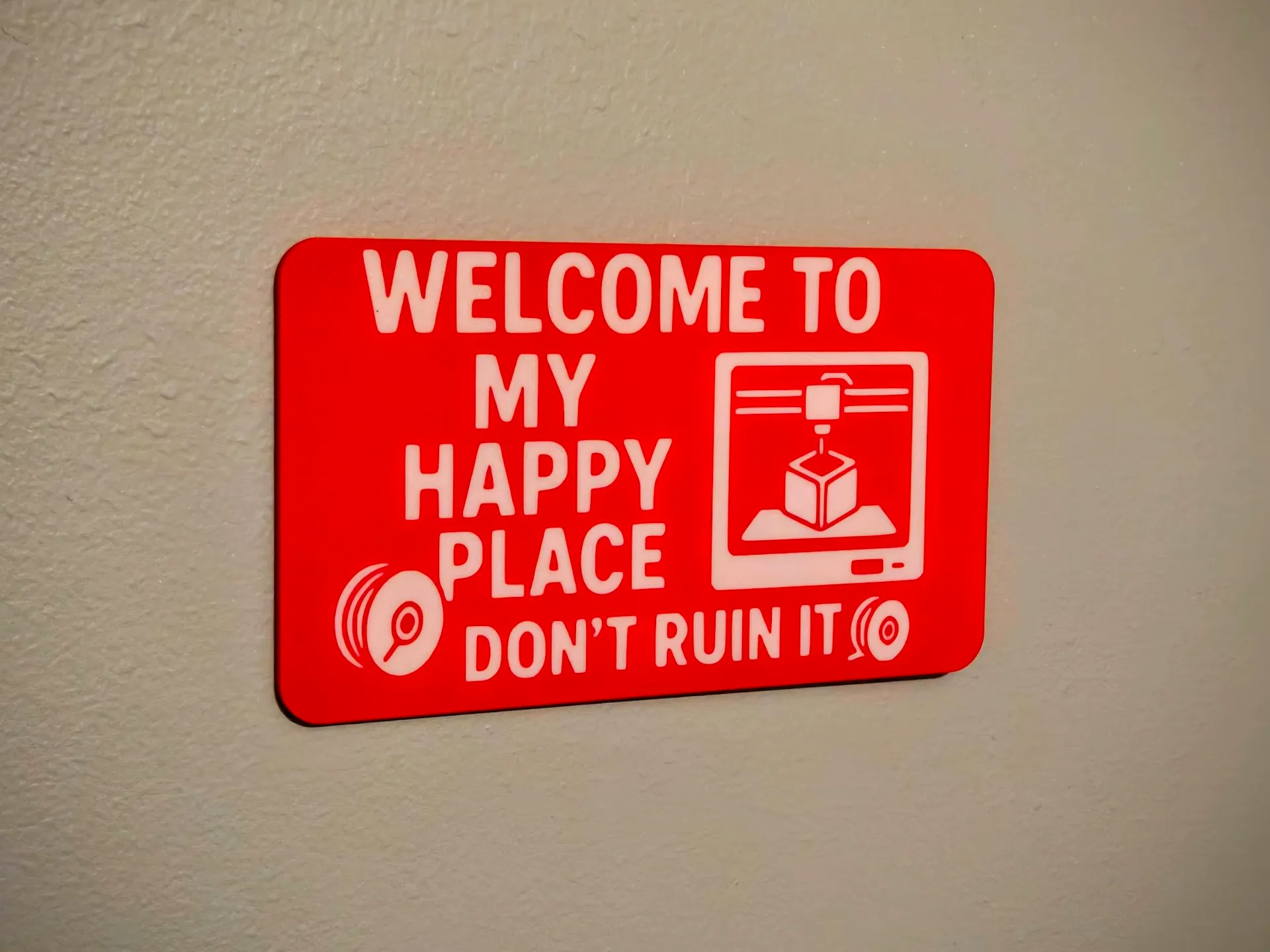
This sign is for outside my workshop.
You cannot view this attachment.
My actual print.
This sign is for outside my workshop.
You cannot view this attachment.
My actual print.
#52
3D Printers & Laser Cutters / Minimal Birdhouse
Last post by Chris Savage - Jul 30, 2026, 05:23 PMMinimal Birdhouse – No AMS, No Glue

I printed this too late for this year, but I will put it out next year to see if we get any tenants.
You cannot view this attachment.
The darker (Brown) parts were printed on my P1S printer.
You cannot view this attachment.
The lighter (white) parts were printed on one the P2S printers.
You cannot view this attachment.
I printed this too late for this year, but I will put it out next year to see if we get any tenants.
You cannot view this attachment.
The darker (Brown) parts were printed on my P1S printer.
You cannot view this attachment.
The lighter (white) parts were printed on one the P2S printers.
You cannot view this attachment.
#53
3D Printers & Laser Cutters / Stackable Desktop Organizer wi...
Last post by Chris Savage - Jul 30, 2026, 05:07 PMStackable Desktop Organizer with Drawers
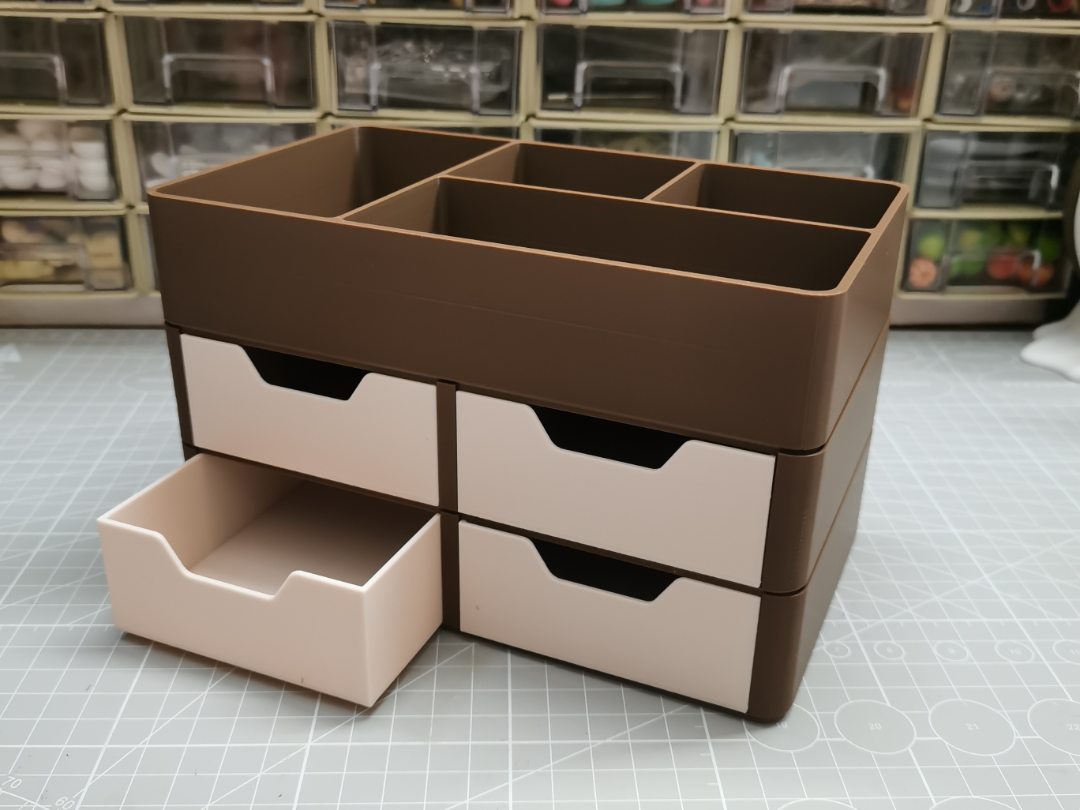
This particular model is infinitely stackable. I actually added two levels to what I printed.
You cannot view this attachment.
Here's what I printed with four levels of drawers. The sign to the right is a "gag" gift for a former co-worker who has a girlfriend named, Johanna, but whom he calls, "Ho-Ho".
You cannot view this attachment.
The drawers are very simple and don't have any guides, but work at this scale.
This particular model is infinitely stackable. I actually added two levels to what I printed.
You cannot view this attachment.
Here's what I printed with four levels of drawers. The sign to the right is a "gag" gift for a former co-worker who has a girlfriend named, Johanna, but whom he calls, "Ho-Ho".
You cannot view this attachment.
The drawers are very simple and don't have any guides, but work at this scale.
#54
General Discussion / Re: Get Together 26
Last post by Chris Savage - Jul 30, 2026, 01:56 PMQuote from: granz on Jul 30, 2026, 08:28 AMI'll try to get a flier together soon.
Previously, there was discussion of an itinerary, to add some structure to the event. I remember discussion about presentations of current projects. Have we given any further thoughts to this?
My thoughts are that the first hour (12-1) should be to just catch up and chat (eat lunch?). Maybe have someone do some presentation at 1P. Not sure how long each block should be.
#55
General Discussion / Re: Get Together 26
Last post by Chris Savage - Jul 30, 2026, 12:49 PMI will be there, though I will not be staying in the area. That is, I will arrive for the meetup and return home that evening. I will bring an array of things.
#56
General Discussion / Re: Get Together 26
Last post by MicroNut - Jul 30, 2026, 12:31 PMMe neither  No more filling up the whole table. I'll probably just bring my laptop and my 2 FPGA boards since I am delving into FPGAs
No more filling up the whole table. I'll probably just bring my laptop and my 2 FPGA boards since I am delving into FPGAs #57
3D Printers & Laser Cutters / Re: Things My Printer Says
Last post by Chris Savage - Jul 30, 2026, 12:19 PMRESERVED
#58
3D Printers & Laser Cutters / Re: Things My Printer Says
Last post by Chris Savage - Jul 30, 2026, 12:19 PM
#59
3D Printers & Laser Cutters / Re: Things My Printer Says
Last post by Chris Savage - Jul 30, 2026, 12:19 PM #60
3D Printers & Laser Cutters / Re: Things My Printer Says
Last post by Chris Savage - Jul 30, 2026, 12:19 PM SMF spam blocked by CleanTalk